Get a fully traceable report draft the same day your analysis is done.
All data and analysis from Optioneer eventually has to become a document, written up, reviewed, signed off. Report Writer drafts the document straight from real-world data, in line with your own custom template, specifically for the audience it's actually going to. What used to take a team of SMEs days of data collection and coordination now takes minutes to draft.
Custom reports ready in just a few clicks
Built on Optioneer's existing data structure, the report starts from an auditable data baseline, not from scratch. Watch the video to learn more.

Teams don't need another tool that adds a step. They need a head start. Something that gets the drafting done reliably, on real data, so the SMEs on the project spend their time analysing and discussing rather than crunching data and assembling paragraphs of text.
Removing the reporting bottleneck.
Infrastructure decisions don't end when the analysis does. They end when someone writes it up, an internal briefing, a decision-supporting document, a board paper, a discipline-specific technical note.
A single report can mean an environmental SME, a cost engineer, a routing specialist and a project lead all contributing their piece, on their own timeline, in their own format, then someone has to reconcile it into one coherent, defensible deliverable.
That documentation and coordination overhead is often slower than the analysis it's reporting on; while solid analysis and decision need time to be thorough, the subsequent deliverable production can be much faster.
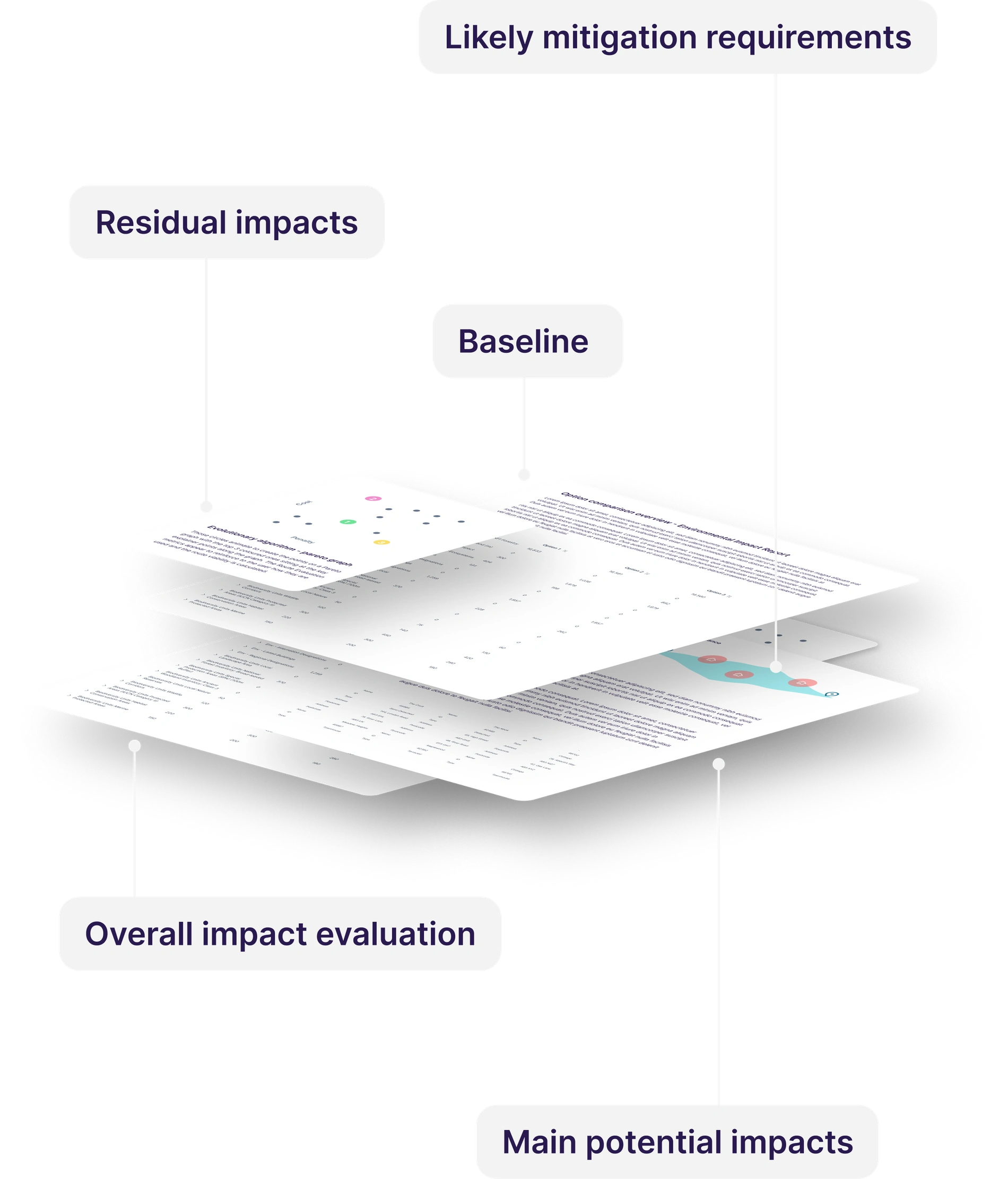
Deliverables aren't going anywhere. The time they take should.
Reports, written analysis and decision-support documentation are a permanent feature of infrastructure planning, no platform is going to remove the requirement to produce them. What can change is how long they take and how much of that time is genuinely value-adding.
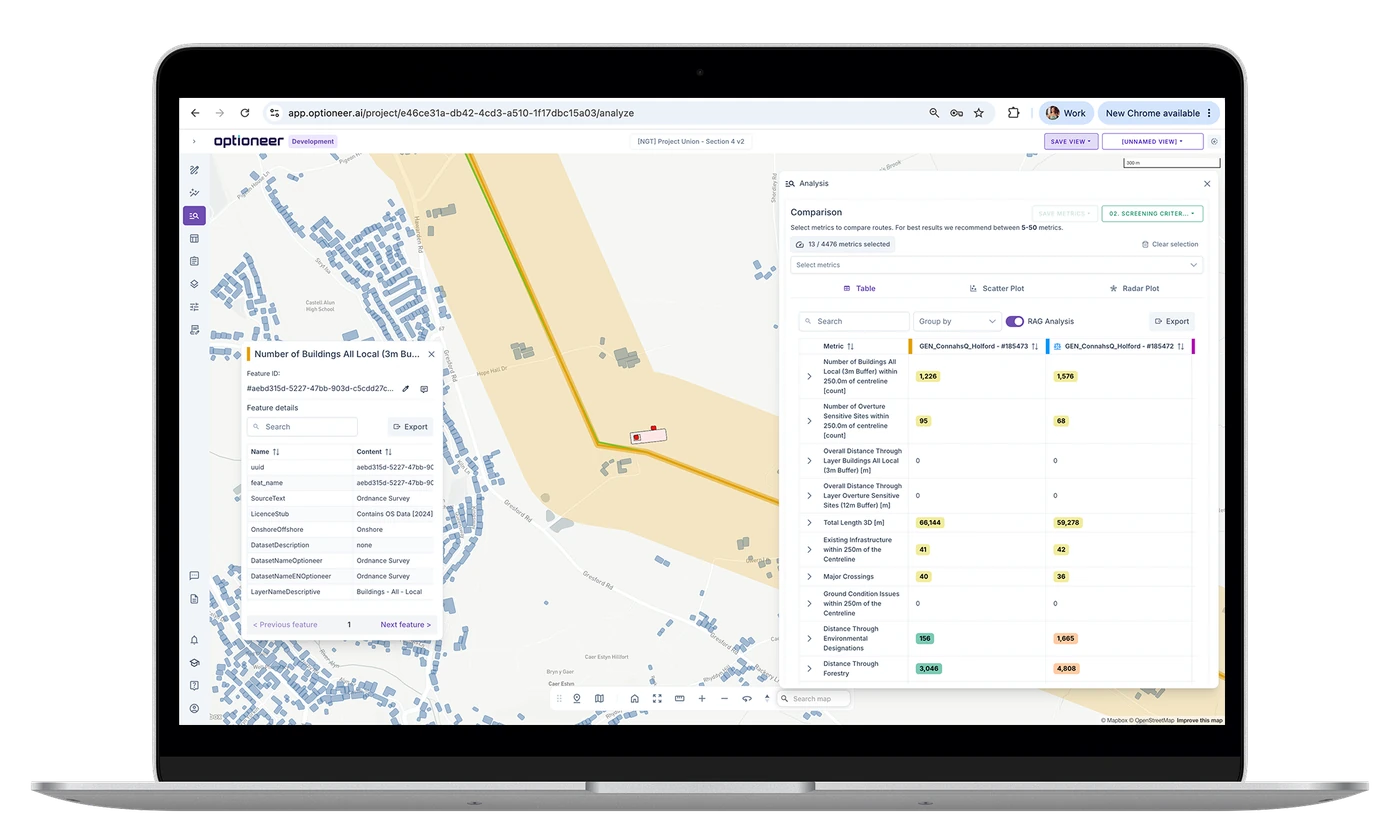
All of your project context, in one place.
Optioneer holds the data and the technology to close that gap. Report Writer is built on the same option data, cost and constraint metrics, and local-impact analysis that powers Optioneer's routing and siting engine, and it extends past routing and siting into the deliverables that data was always going to end up in anyway.
One engine, with a range of reporting
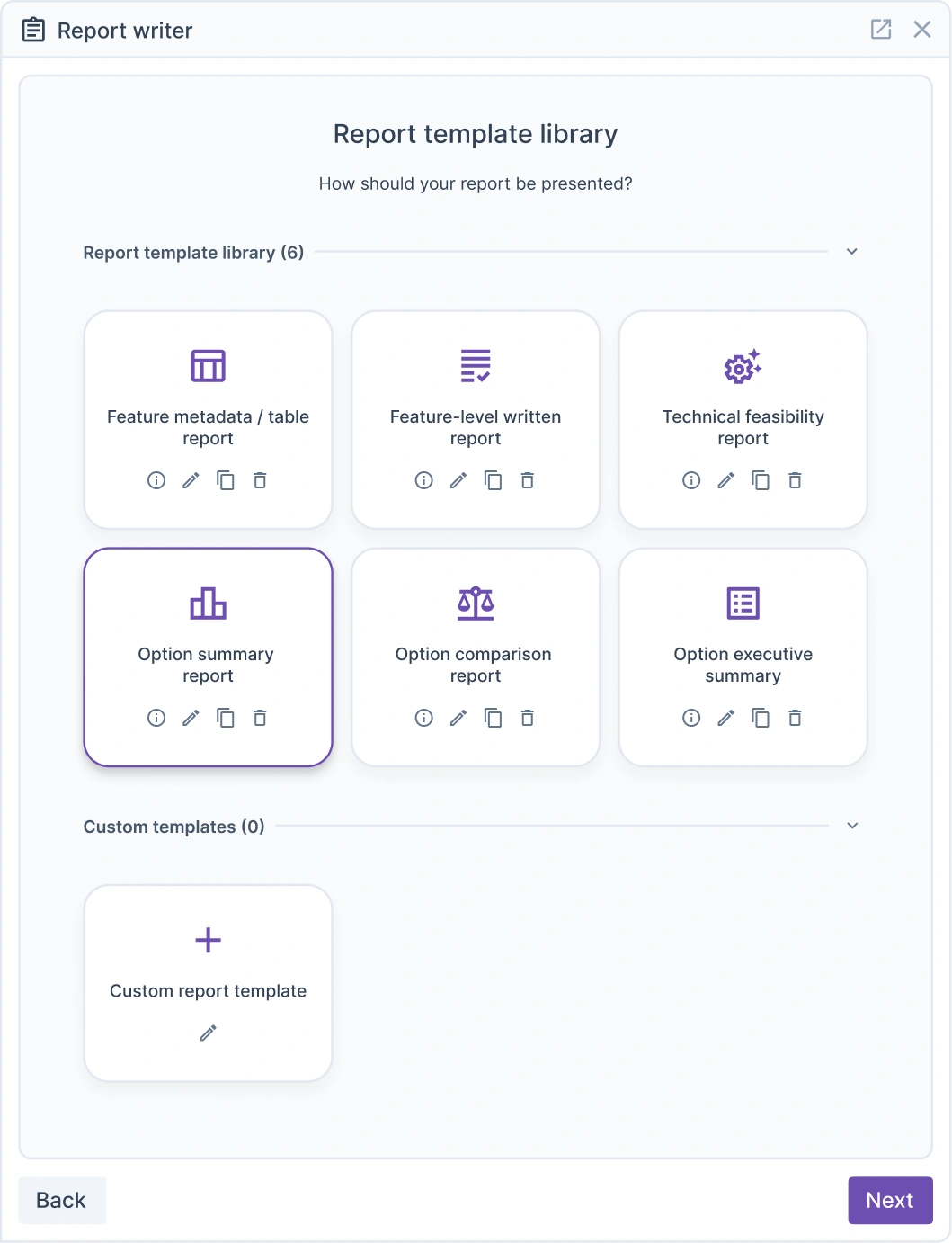
Customisation is what lets Report Writer cover the full range of documentation a project actually needs. From a single page snapshot to a long form route summary or a detail-heavy appendix.
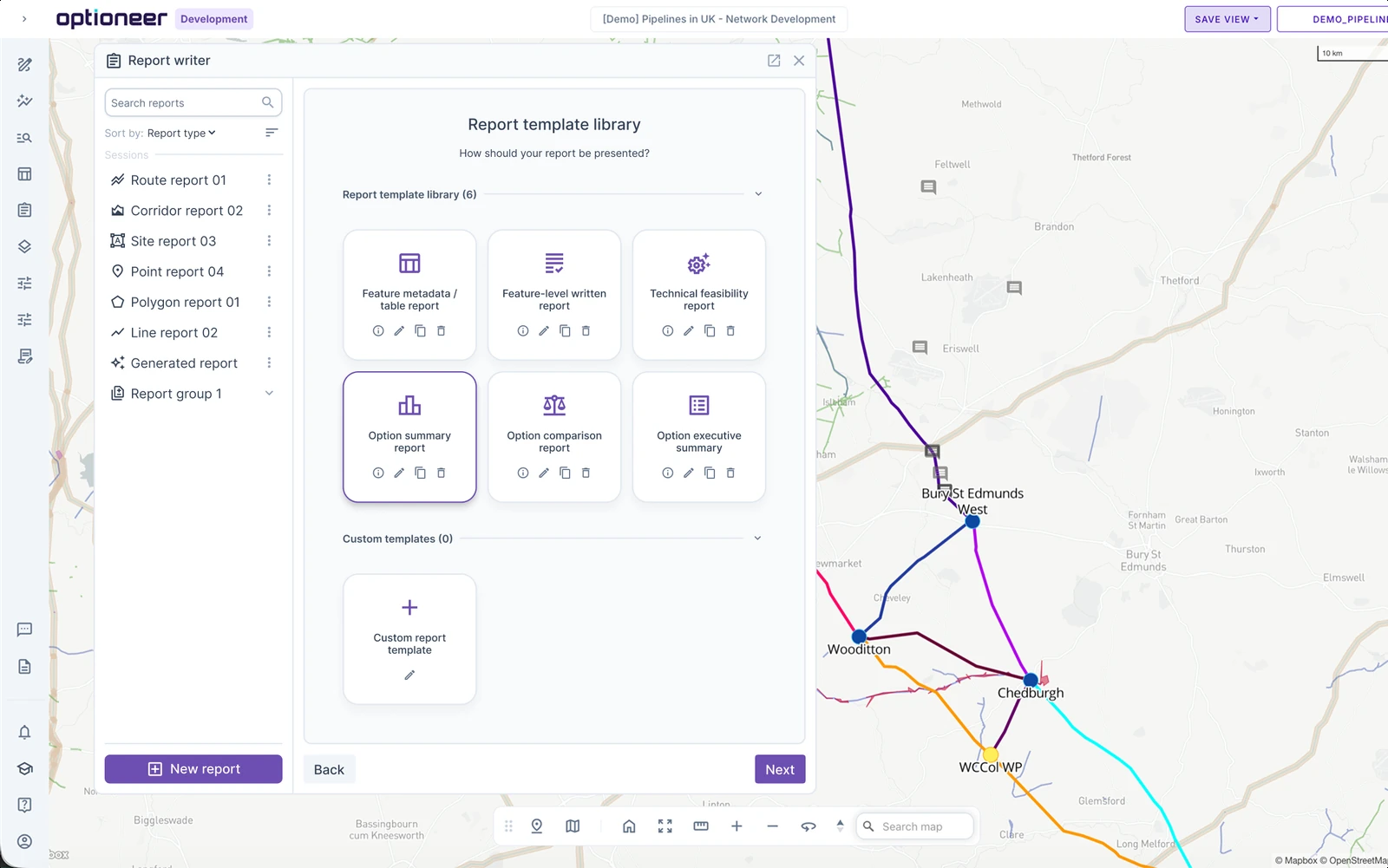
One project's data can feed all four. The same option can produce a two-page screening note today and a comprehensive discipline appendix next month, without redoing the underlying analysis.

How it works
The context is already there. Report Writer isn't a chatbot pointed at a blank page. It's built on Optioneer's existing data structure, so the report starts from a position of understanding, not from scratch.
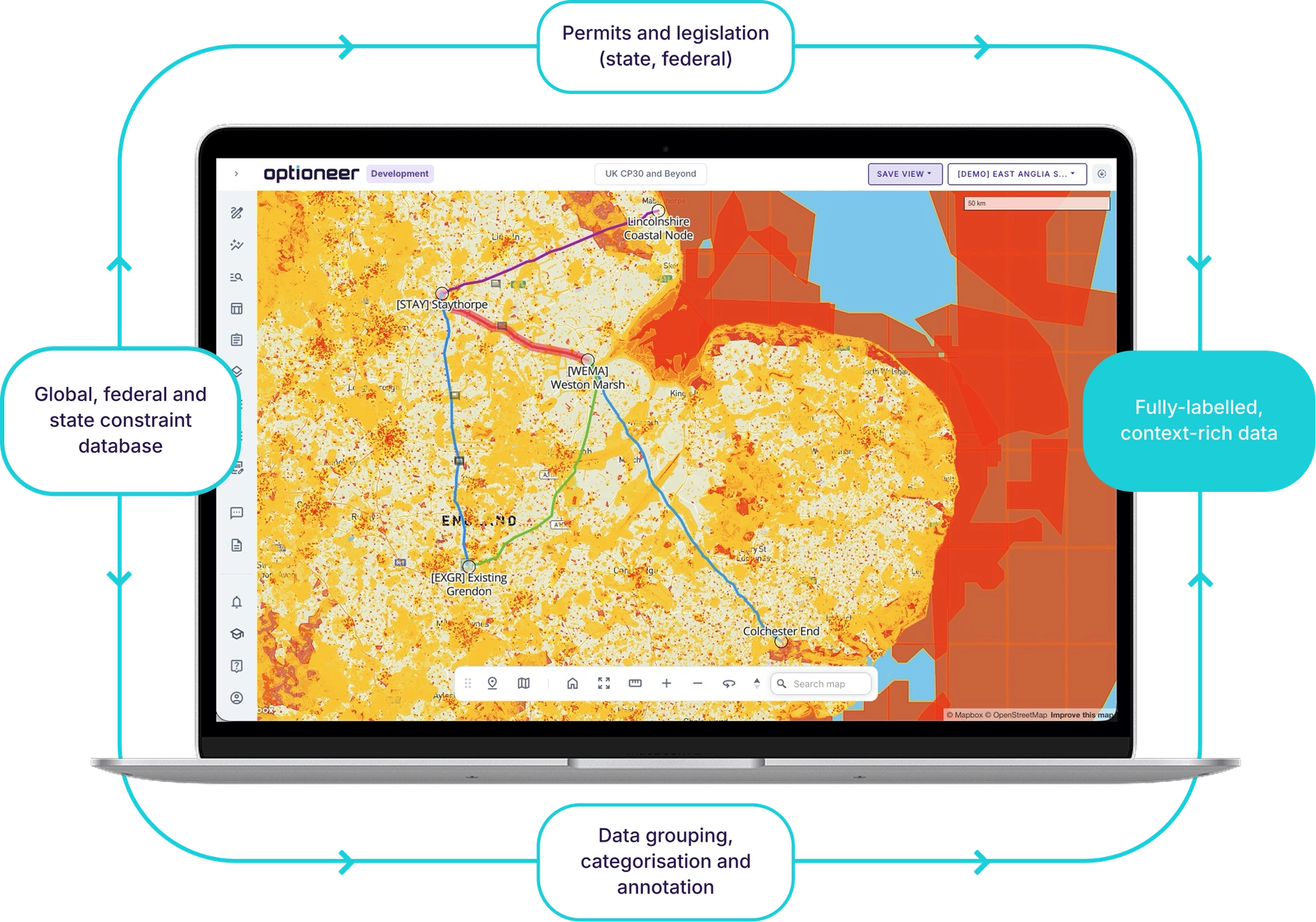
The data is labelled
Every dataset already knows what it is, environmental designations, cultural heritage, hydrology, ecology, geology, land ownership, with the context that makes it interpretable.
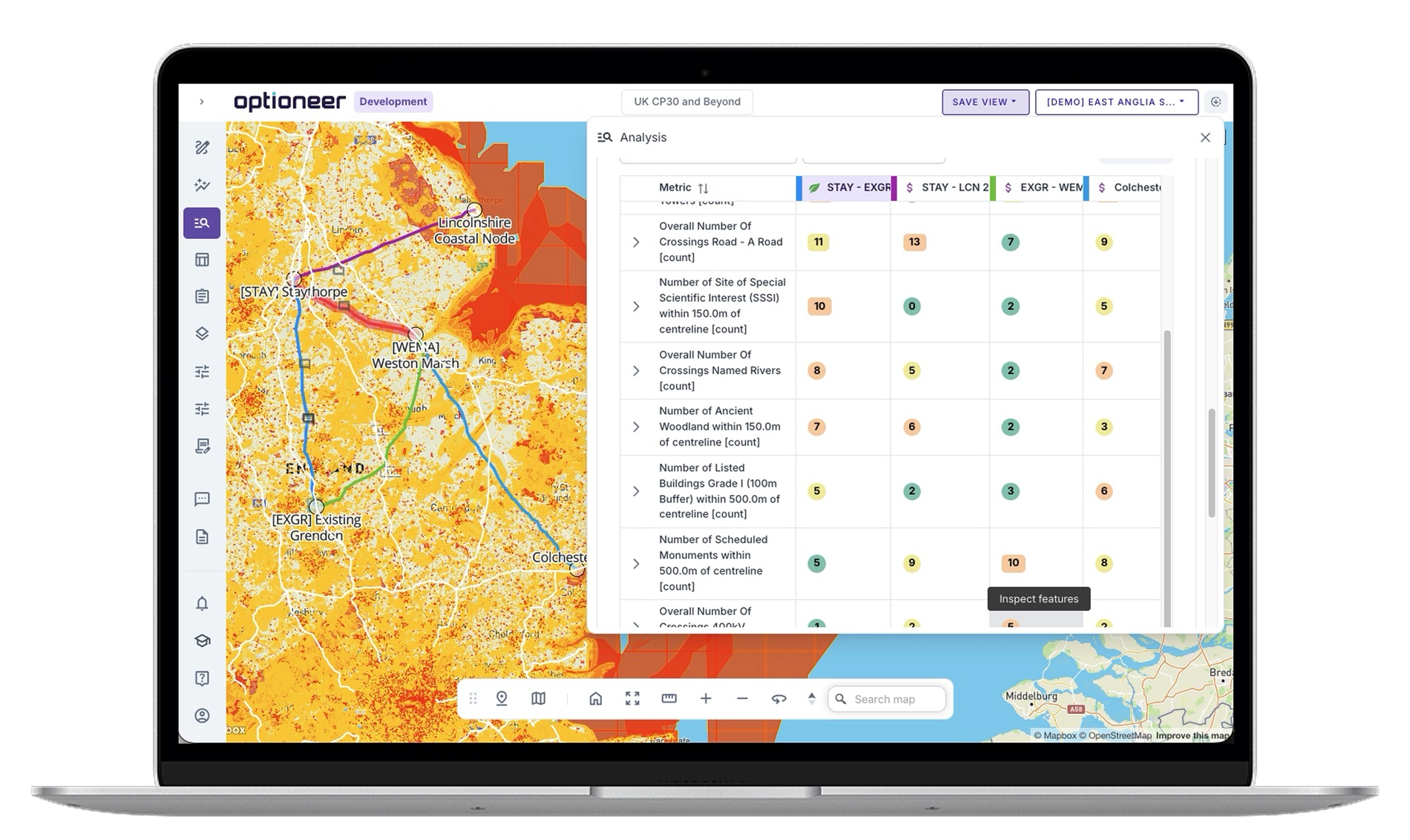
The metrics summarise each option
Cost drivers, penalties, asset counts, terrain, crossings, proximity, constraint breaks, the figures a report is built around exist before the report does.
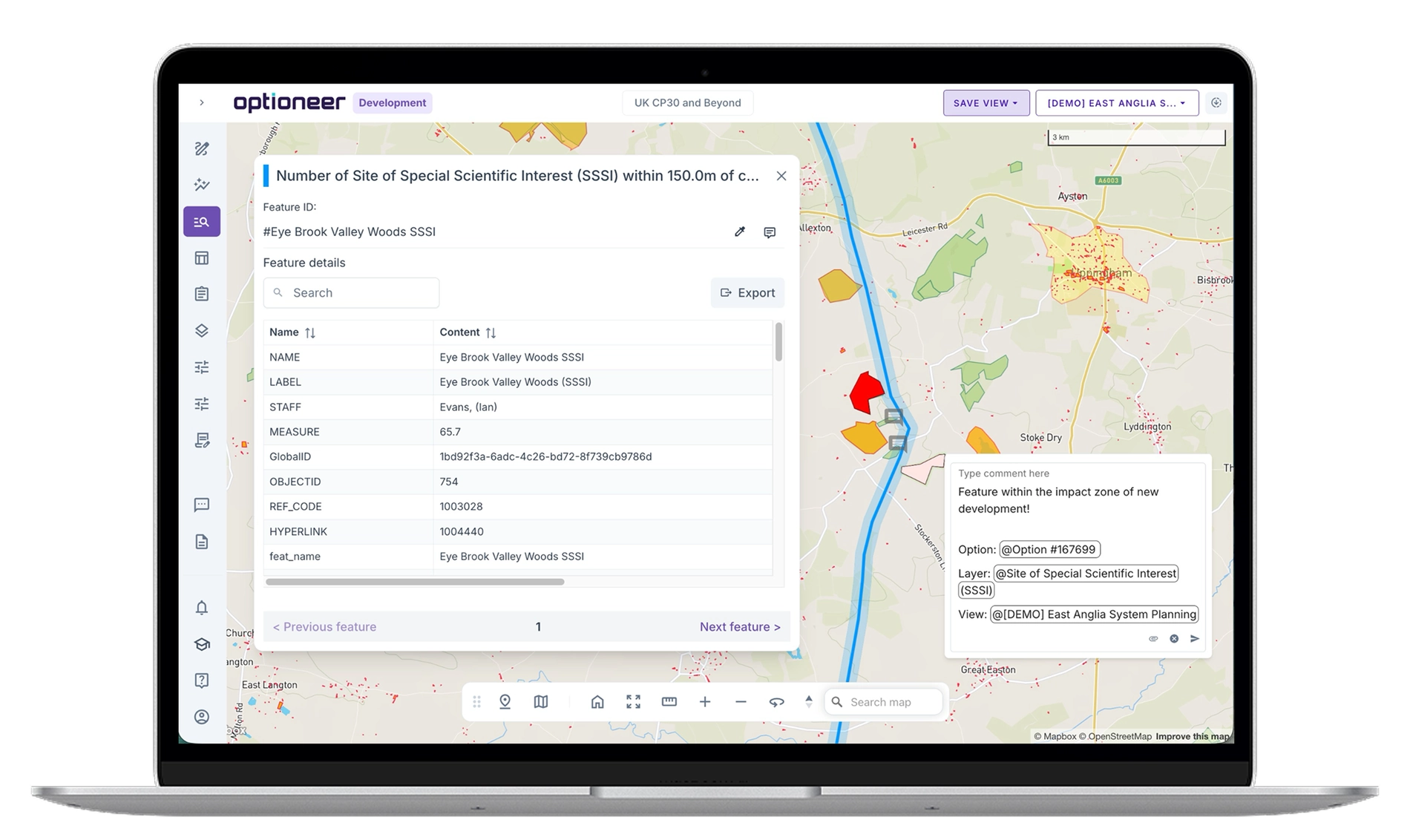
Local impacts are understood
Not just flagged, not simply that a route crosses a watercourse, but what crossing that watercourse at that point means, sensitivity, likely mitigation, and why it matters here.
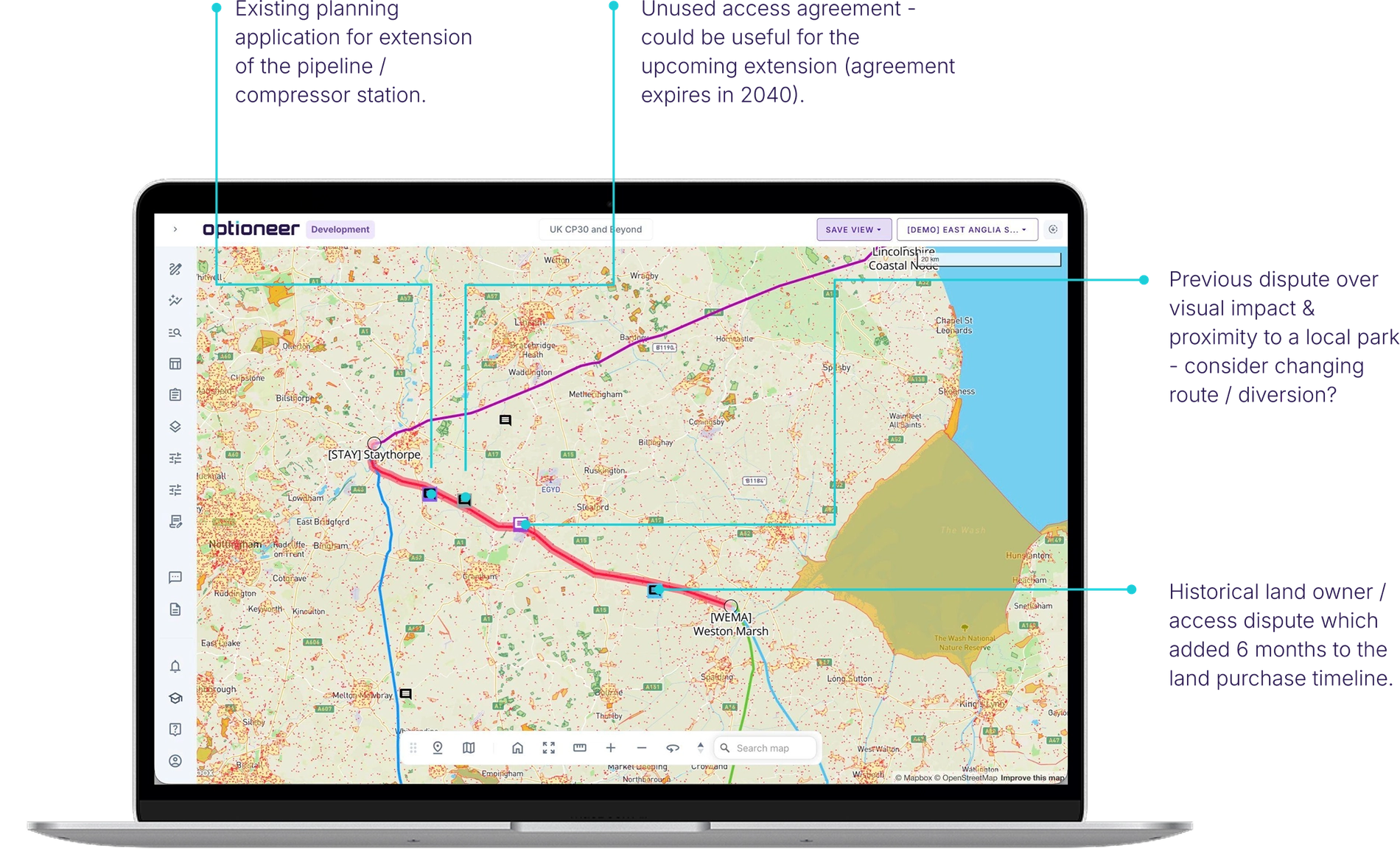
Your project's own knowledge is in there too
Comments and uploaded files carry what never makes it into a dataset: a client's position, a constraint found on site, a decision made three months ago, and why.
Then you make three decisions
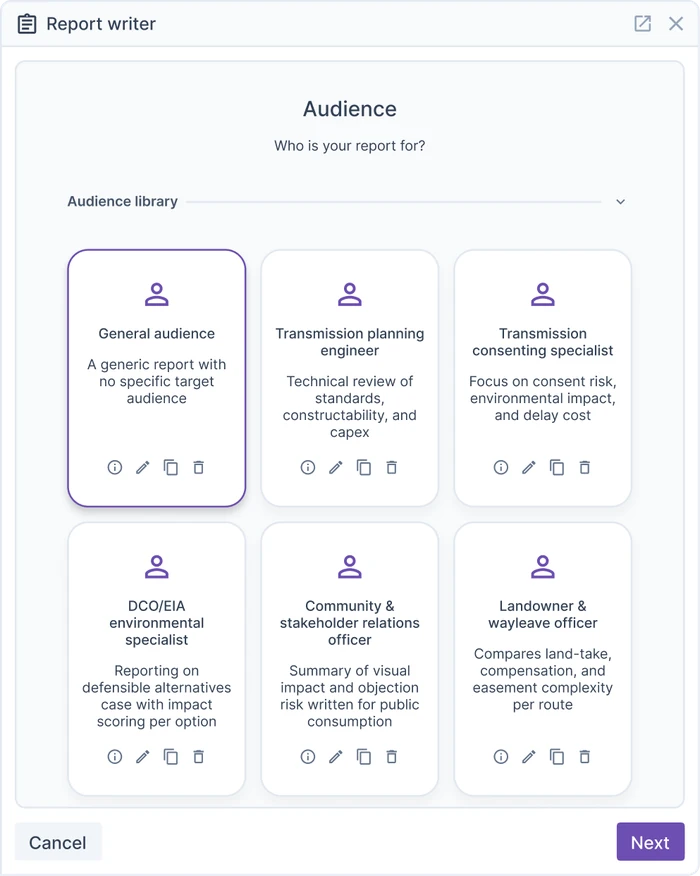
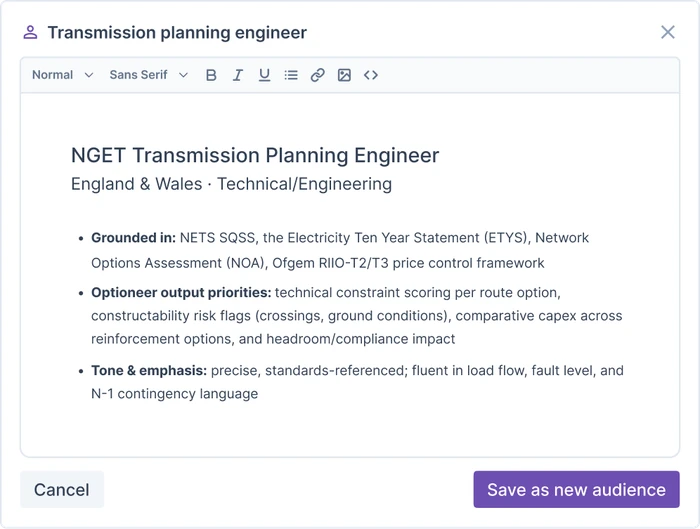
Pick the audience
A screening note for a GIS team and a full assessment for a planning authority are different documents. Say which one you're writing.
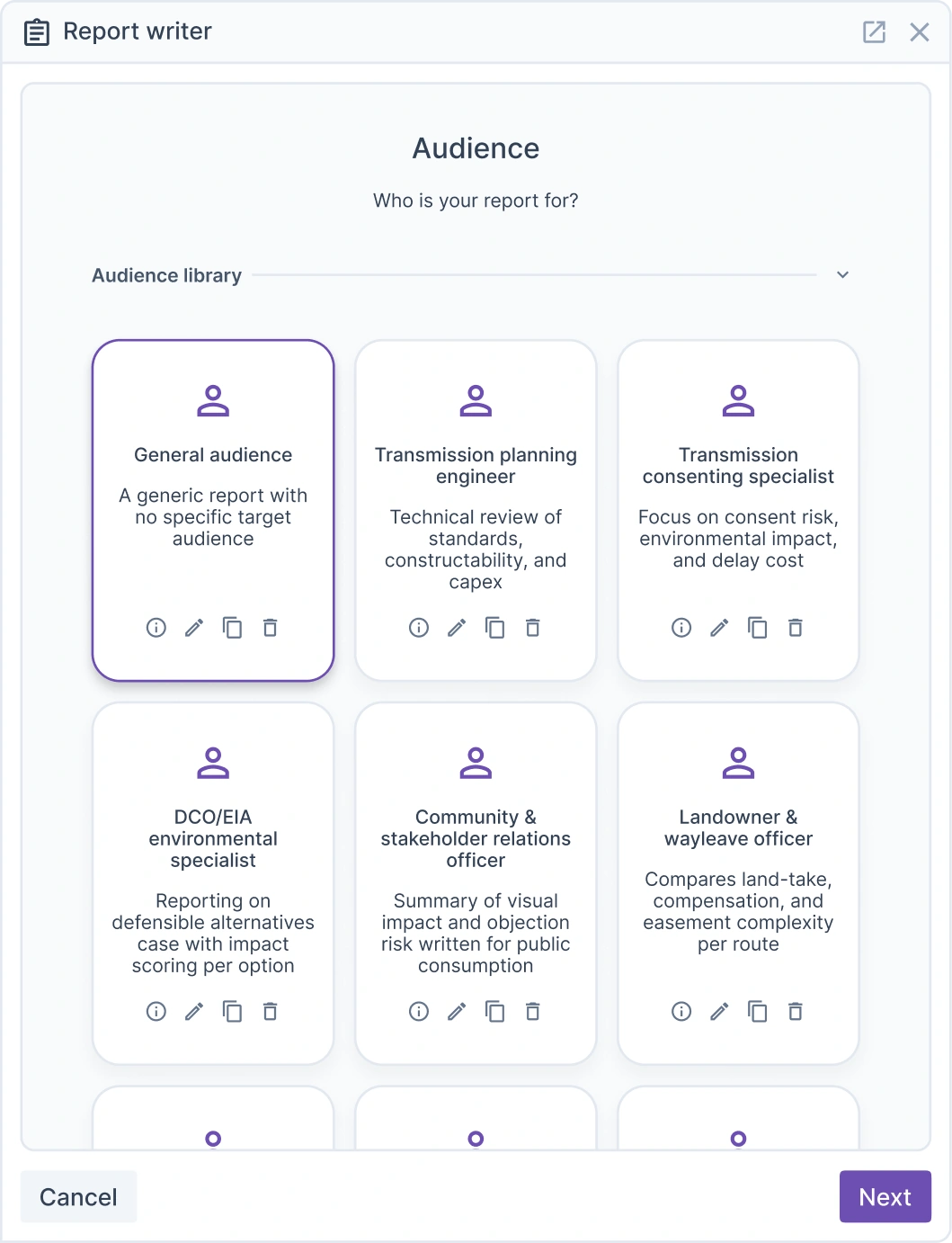
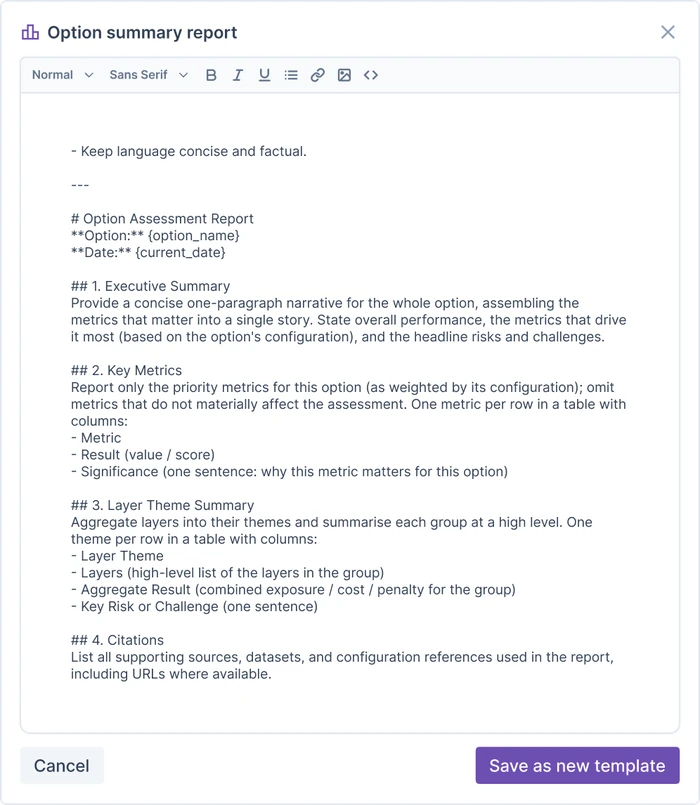
Pick the template
Your sections, your house style, your structure, including whichever of the four report types above fits the deliverable.
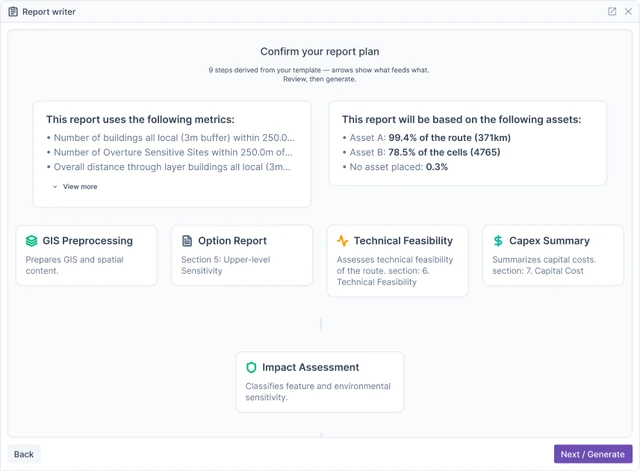
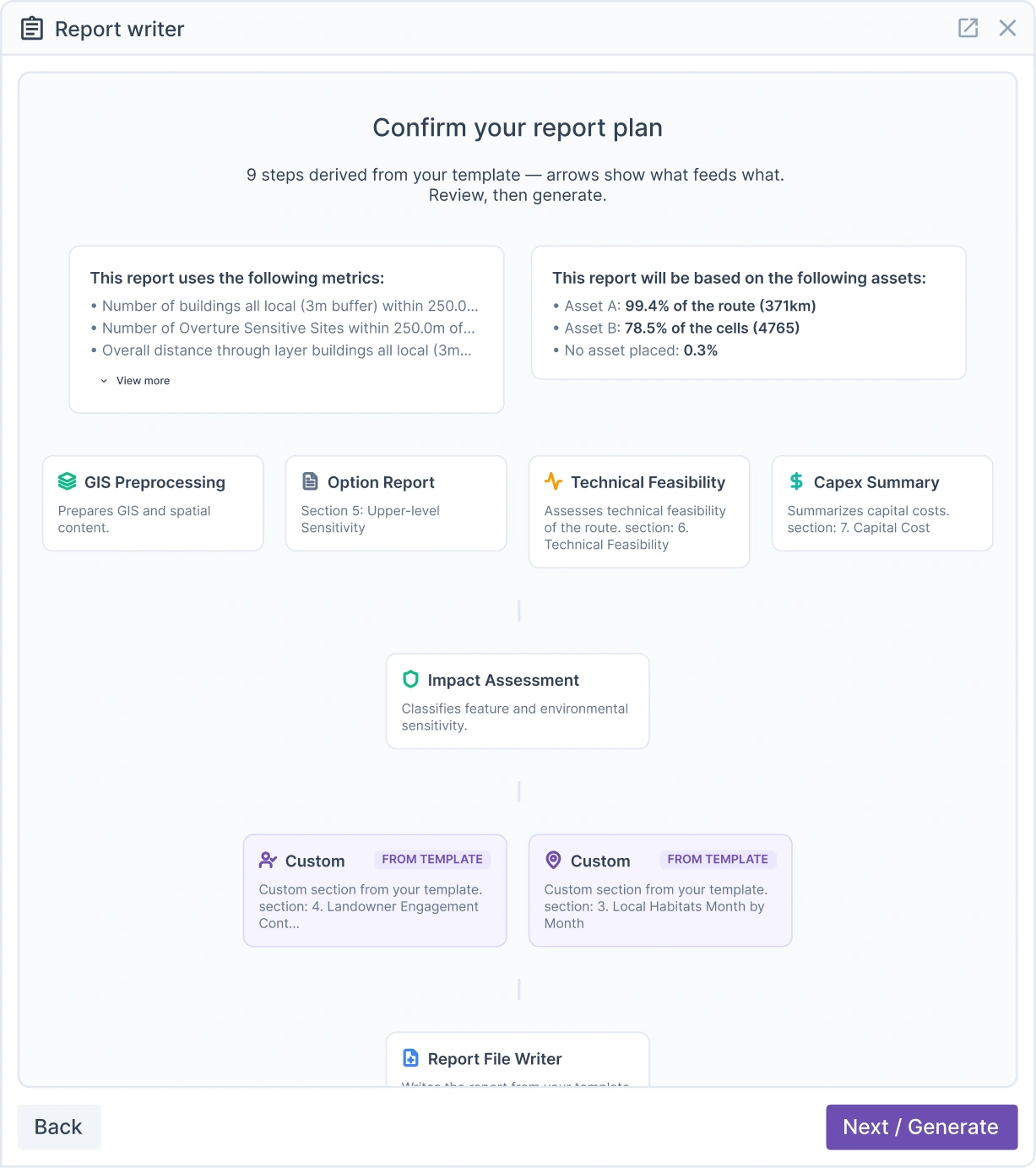
Review the plan
Before a word is written, you see what Report Writer intends to produce, and you can change it.
And then it happens
The report drafts section by section, from real project data, cited and traceable back to the dataset, layer, or guidance document behind each claim. Optioneer's own maps, metrics tables and comparisons can be pulled straight into the document rather than rebuilt by hand. Where something genuinely isn't in the project, Report Writer goes and finds it; where it can't be found at all, it says so plainly.

“An estimate of the percentage of the work covered through these documents would be 100% of the route summary and 60% of an options assessment report.”

Ready to see it on your own projects?
Report Writer is rolling out to early-access customers. Speak to your Continuum contact to arrange a trial or a live demo on one of your own projects.
Client success stories
We’ve had the pleasure of working with global leaders in the utilities industry, find out how they achieved results with Optioneer.